
Concert lighting programming is where creativity meets technology. A well-programmed lighting show transforms live music into an immersive visual experience by synchronizing lighting effects with the rhythm, emotion, and energy of each performance. From small club shows to international stadium tours, professional lighting programmers rely on proven techniques to deliver consistent, dynamic, and memorable productions.
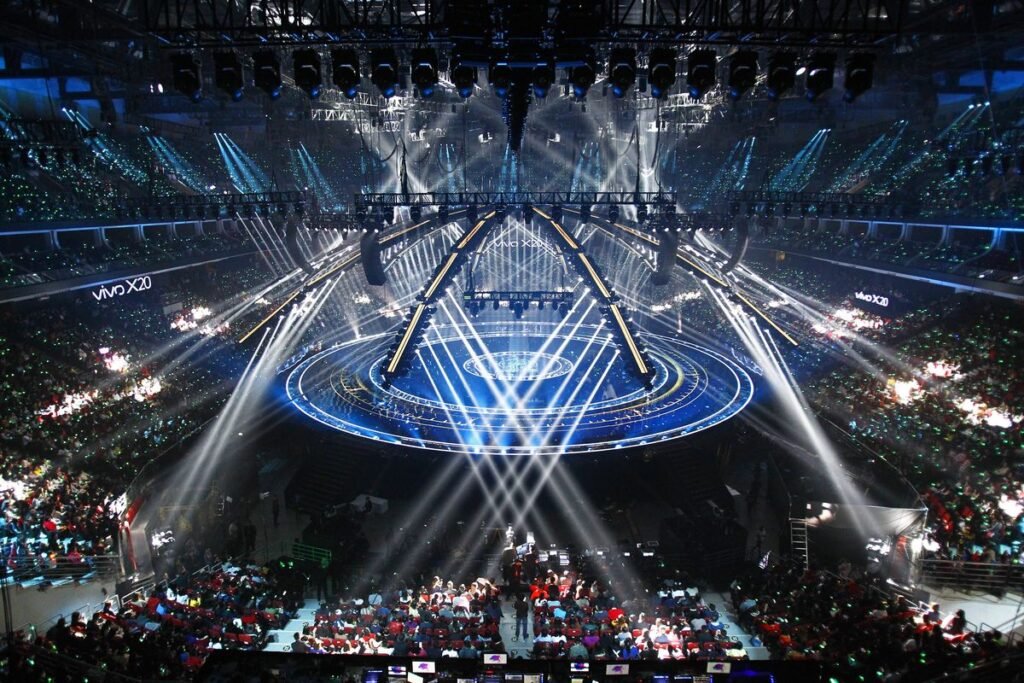
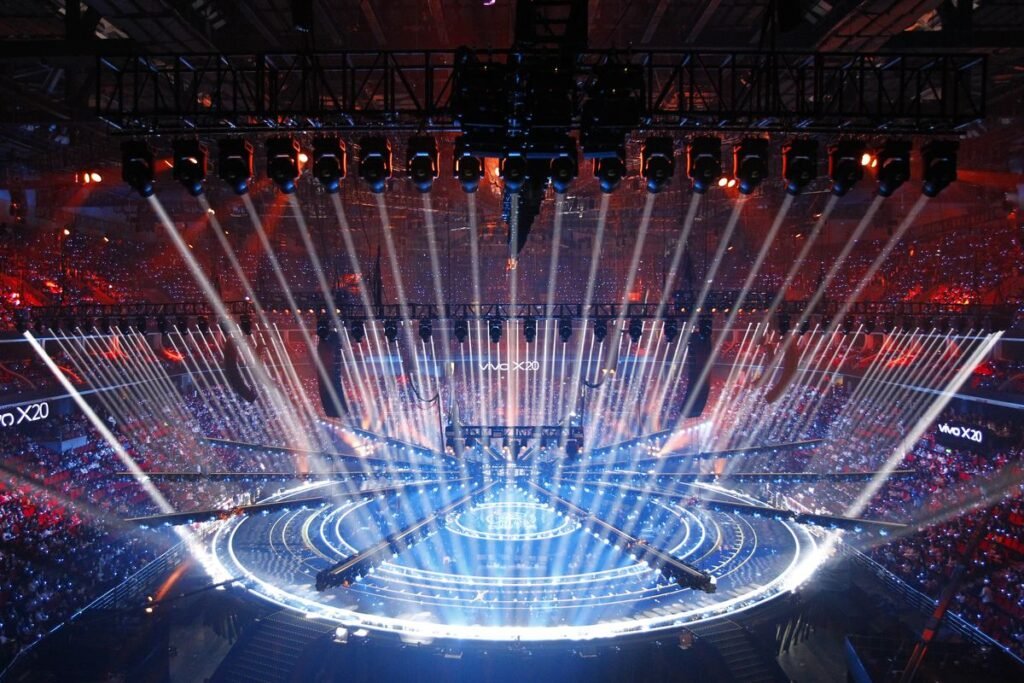
Modern concert lighting combines intelligent moving head fixtures, LED wash lights, beam effects, pixel mapping, DMX control, timecode, and media servers to create stunning visual displays. However, even the most advanced equipment requires careful planning and programming to achieve its full potential.
In this guide, we’ll explore the best practices for programming professional concert lighting systems.
Start with the Music
Successful lighting programming begins with understanding the music.
Before creating cues, analyze the performance by identifying:
- Song structure
- Tempo changes
- Verse and chorus transitions
- Instrumental breaks
- Solos
- Climaxes
- Quiet moments
Programming lighting around the musical arrangement creates a more emotional and engaging experience for the audience.
Build a Consistent Show File
Professional programmers organize their show files carefully to improve efficiency during rehearsals and live performances.
A well-structured show file should include:
- Fixture groups
- Preset positions
- Color palettes
- Beam palettes
- Gobo presets
- Effects libraries
- Cue lists
- Backup sequences
Good organization reduces programming time and simplifies last-minute changes.
Use Fixture Groups
Grouping fixtures allows multiple lights to be controlled simultaneously.
Common fixture groups include:
- Front wash
- Back wash
- Moving spot lights
- Beam fixtures
- Wash fixtures
- Audience blinders
- Follow spots
- LED bars
Logical grouping speeds up programming and keeps shows organized.
Program with Layers
Instead of creating every cue from scratch, professional programmers use layered programming.
Typical layers include:
- Intensity
- Position
- Color
- Beam
- Effects
- Pixel mapping
- Video synchronization
This modular approach makes editing easier while maintaining consistency across the show.
Keep Cue Transitions Smooth
Lighting transitions should support the music rather than distract from it.
Consider using:
- Fade times
- Crossfades
- Delayed cue execution
- Smooth color transitions
- Gradual beam movement
Avoid abrupt lighting changes unless they intentionally match dramatic musical moments.
Use Color with Purpose
Color plays a significant role in storytelling and audience emotion.
For example:
- Blue for calm or emotional moments
- Red for intensity and power
- Amber for warmth
- Purple for dramatic scenes
- White for impact and clarity
Consistent color palettes create a stronger visual identity throughout the performance.
Balance Movement
Moving head fixtures create excitement, but excessive movement can overwhelm the audience.
Best practices include:
- Match movement speed to the music
- Keep slower movements during ballads
- Increase movement during energetic sections
- Avoid constant motion
- Highlight important performers with controlled positioning
Movement should enhance the performance, not compete with it.
Synchronize with Timecode
Large-scale productions often use timecode to automate cue execution.
Benefits include:
- Perfect synchronization
- Repeatable performances
- Reduced operator workload
- Consistent show quality
- Seamless coordination with video and special effects
Timecode is especially valuable for touring productions and televised concerts.
Integrate Video and Lighting
Modern productions combine lighting with:
- LED video walls
- Projection mapping
- Media servers
- Stage automation
- Visual effects
Programming these systems together creates a unified audience experience.
Optimize DMX Universes
Efficient DMX management improves system performance.
Recommendations include:
- Separate fixture types across universes
- Label universes clearly
- Monitor channel usage
- Avoid unnecessary DMX traffic
- Test addressing before rehearsals
Well-planned DMX distribution reduces troubleshooting during live events.
Prepare Backup Systems
Professional productions always include backup solutions.
Backup strategies include:
- Duplicate show files
- Backup lighting consoles
- Secondary timecode sources
- Spare network switches
- Redundant power supplies
Reliable backup systems reduce the risk of show interruptions.
Rehearse Every Cue
Programming should never end with cue creation.
Before the event:
- Run complete rehearsals
- Test every transition
- Verify fixture movement
- Confirm color consistency
- Check synchronization with audio and video
- Make final adjustments based on the performance
Thorough rehearsals ensure confidence during the live show.
Common Programming Mistakes
Avoid these common errors:
- Overusing movement effects
- Excessive strobe usage
- Poor cue organization
- Inconsistent color palettes
- Ignoring audience lighting
- Programming without listening to the music
- Failing to create backups
- Neglecting fixture maintenance
Attention to detail produces cleaner, more professional lighting shows.
Future Trends in Concert Lighting Programming
Programming workflows continue to evolve with technologies such as:
- AI-assisted cue generation
- Cloud-based show files
- Wireless programming
- Real-time visualization
- Automated fixture optimization
- Virtual rehearsal environments
- Advanced pixel mapping tools
These innovations improve efficiency while expanding creative possibilities.
Frequently Asked Questions
What is concert lighting programming?
Concert lighting programming is the process of creating lighting cues, effects, colors, movements, and transitions that synchronize with a live performance using lighting control software and consoles.
Why is timecode important?
Timecode ensures lighting, video, audio, lasers, and special effects remain perfectly synchronized throughout every performance.
Should every song have unique lighting?
Not necessarily. Reusing carefully designed color palettes, effects, and fixture positions creates consistency while reducing programming time.
How many rehearsals are needed?
Professional productions typically conduct multiple rehearsals to verify cue timing, fixture movement, synchronization, and overall show quality before the live event.
Is AI replacing lighting programmers?
No. AI helps automate repetitive programming tasks and suggest cues, but lighting designers and programmers remain responsible for creative decisions and artistic direction.
Conclusion
Professional concert lighting programming combines technical precision with creative storytelling. By understanding the music, organizing show files, programming smooth transitions, using color intentionally, synchronizing with timecode, optimizing DMX networks, and thoroughly rehearsing every cue, lighting programmers can create visually stunning performances that captivate audiences.
Whether you’re designing lighting for concerts, festivals, theaters, corporate events, or broadcast productions, following these best practices will help you deliver reliable, dynamic, and unforgettable lighting shows.